Your own AI, on your own Macs, over your own network.
Talk to a 27B model at 20–40 tokens a second.
From your MacBook, while the model stays on the Mac in the next room. No cloud, no API bill, no data leaving the house. I built TrailSail because I wanted exactly that, and I use it every day. One package on the server, one six-word code in the app, and the machine is yours from anywhere on your Tailscale network.
See how it works ·macOS 14+ · Apple Silicon · Tailscale · free for one person
How it works
Two Macs and a private network. The app does everything except the inference.
1TrailSail
On your Mac, or on a phone or tablet running Tailscale.
2Tailscale
Your private network. No ports opened, nothing public.
3Your server
Any Apple Silicon Mac running trailSailServer: the models, web search, and a small control API.
Two parts, one job each
On your desk
TrailSail is the harness
A model by itself only writes text. A harness is the software around it that lets it do work, and that is what the app is. It runs on the Mac in front of you.
- Runs the loop: sends the chat, carries out the model's tool calls, feeds the results back.
- Holds the tools: files, commands, git, tests, databases, Docker, a browser, web search.
- Asks first: permission tiers per tool, and Manual or Auto approval.
- Keeps the context in budget, and stores every chat, note and setting.
In the next room
trailSailServer is the engine manager
It looks after the machine that runs the models so you never need screen sharing. It manages the engines, not the conversation.
- Installs Splash, the llama.cpp router and SearXNG, and keeps them running.
- Starts, stops and switches models, and downloads new ones.
- Makes the API keys, pairs your devices and rotates the keys.
- Chats go straight from the app to the engine and never pass through it.
Because the harness lives in the app, the server stays simple, and any OpenAI-compatible server works without the package.
Pair once with a six-word code. The keys travel inside the encrypted session; you never see or paste them.
acornbrookcedarduneemberflint
What you get
A chat client first, then everything a working assistant needs around it. Each card opens its full section.
Chat that feels native
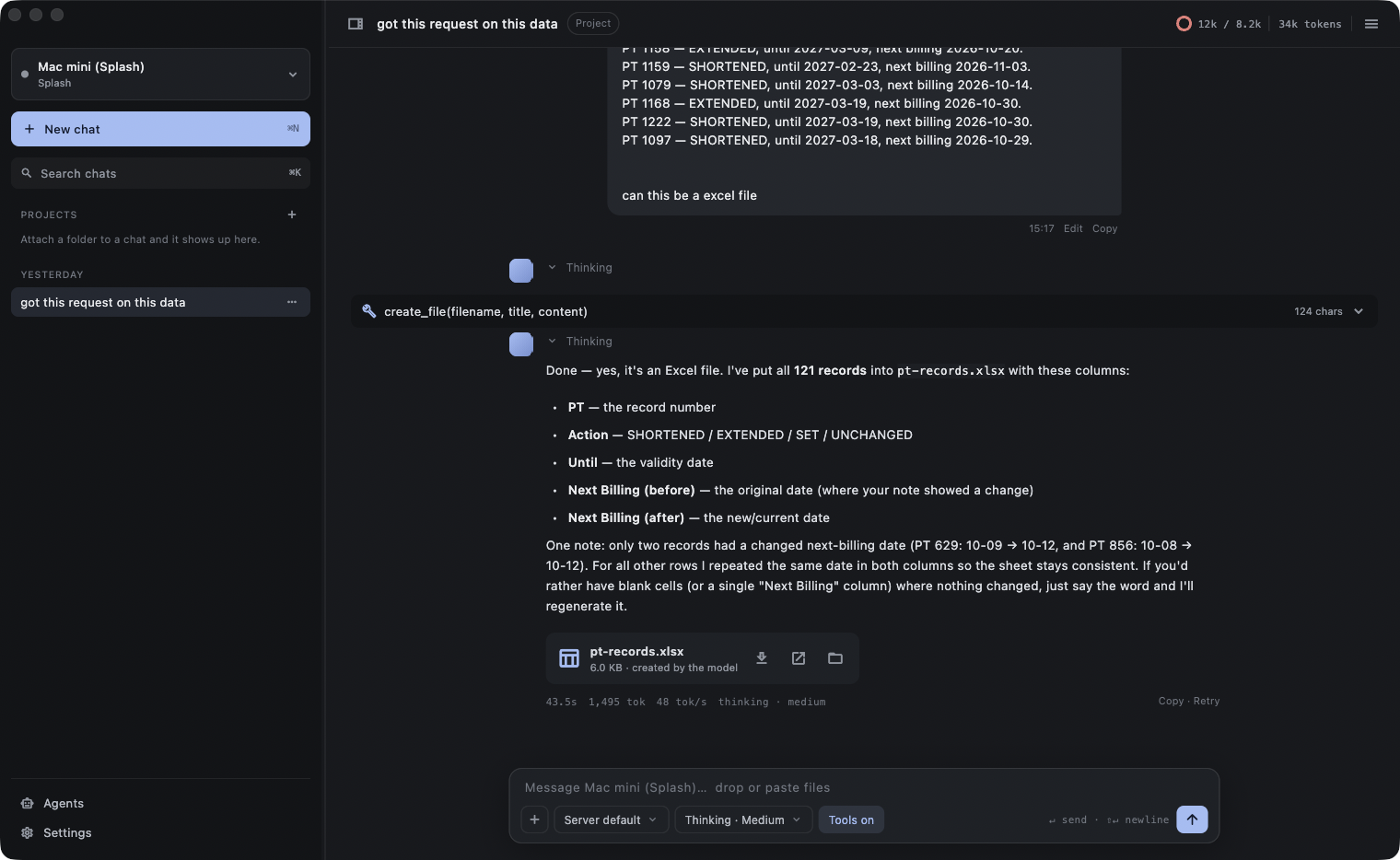
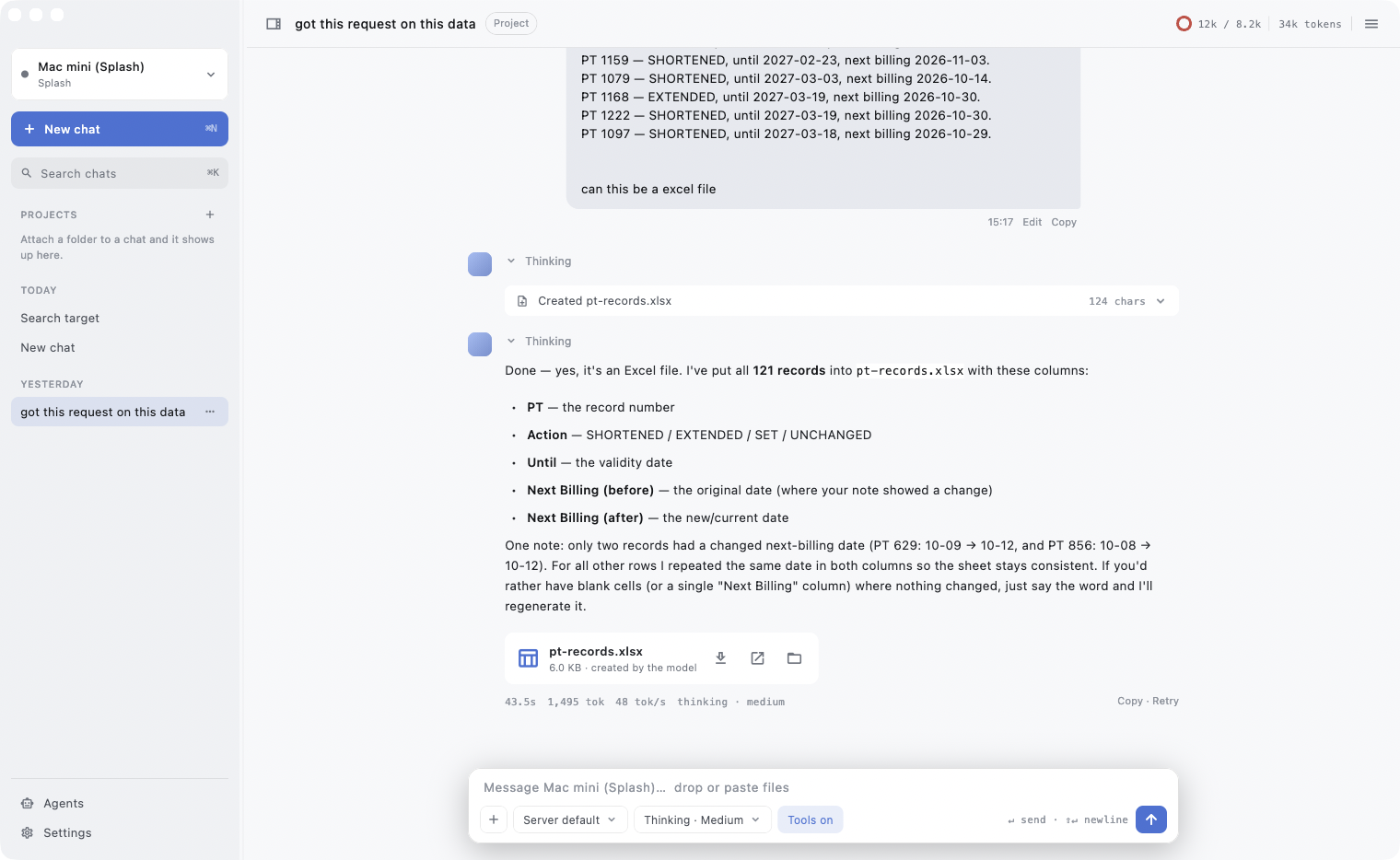
Streaming replies, visible thinking, tokens per second, markdown with code you can select and copy.
Attachments that just work
Images, PDFs, Word, Excel, CSV, code. Drop, paste or pick.
Files the model makes
Spreadsheets, documents, PDFs and scripts come back as downloadable files.
Projects
Attach a folder; the model reads, searches and edits inside it, with the git branch in the header.
Developer tools, with you in control
Git, tests, databases, Docker, a headless browser, web search. Every tool has an allow, ask or deny tier.
Agents in parallel
Sub-agents with their own tools, watched in a side rail.
Memory that survives
Notes in your project folder the model reads at the start of every session.
A terminal in the chat
A real shell per chat, with clickable links and a right-click menu.
Your server, run from the app
Install once, pair once, then start, stop, switch and install models from Settings → Server.
Sync between Macs
Chats and settings follow you through iCloud Drive; keys stay in each Keychain.
In depth
Your server, run from the app
Pair once with a six-word code and Settings → Server becomes the console for the machine that runs the models: start, stop and restart engines, switch Splash to another model, install new ones, read logs, rotate the keys. From a Mac, or from a phone on the tailnet.
The Server panelmatthews-mini · mini.tail1234.ts.net
mlx-community/Qwen3.8-27B-4bit · --language-only · https://mini.tail1234.ts.net
ggml-org/Qwen3.8-27B-GGUF:Q4_K_M · https://mini.tail1234.ts.net:8443
web search · https://mini.tail1234.ts.net:8444
Agents in parallel, on a rail
Say “research this in parallel” and the model spawns sub-agents with their own tools and step budgets. Watch them on the rail, open a transcript beside the chat, cancel one or all.
Agents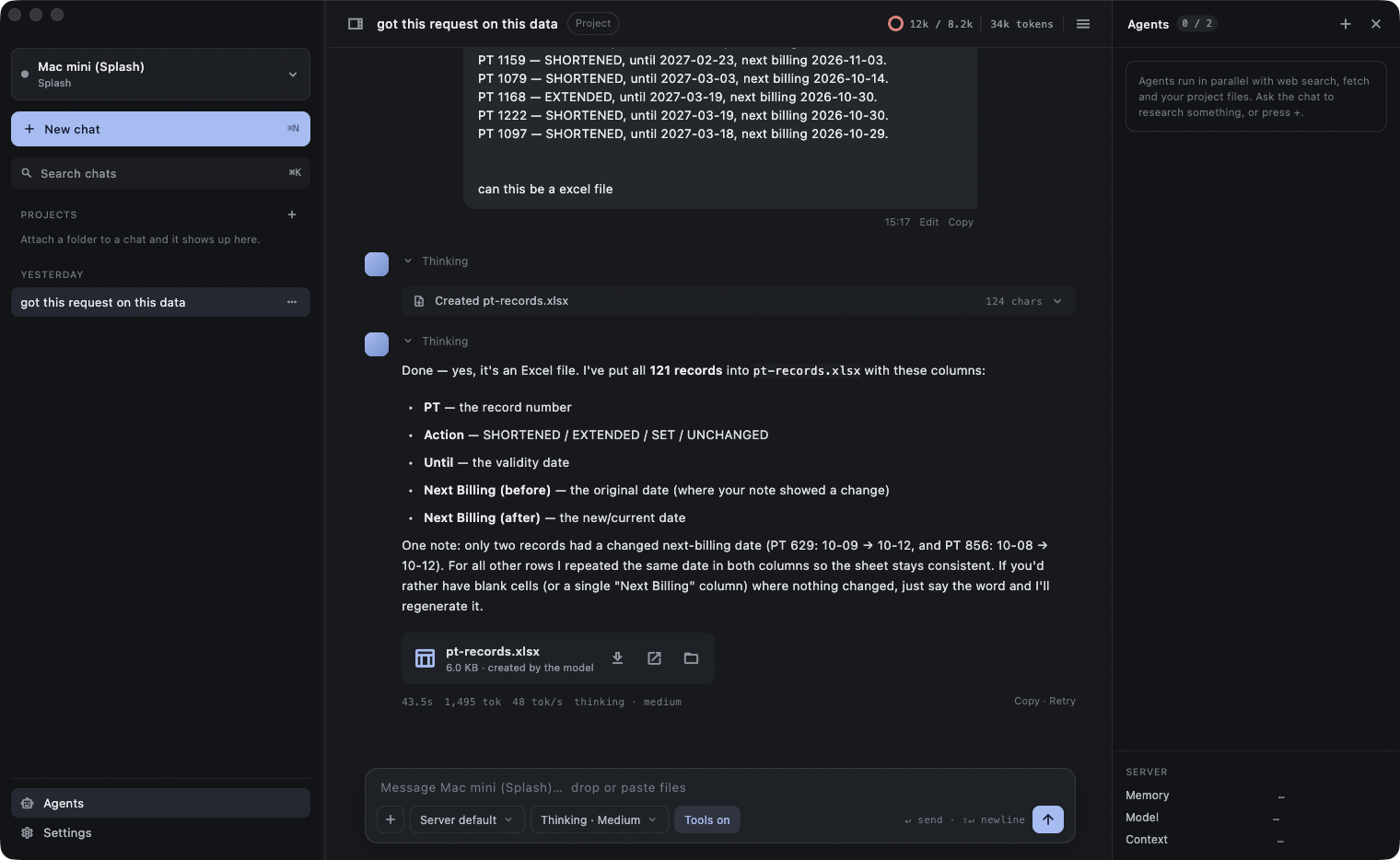
Every tool, tiered by permission
Git, tests, databases, Docker, a headless browser, web search and file writes: allow, ask or deny, per tool and per action. “Ask” shows the exact command, query or statement before it runs.
Developer tools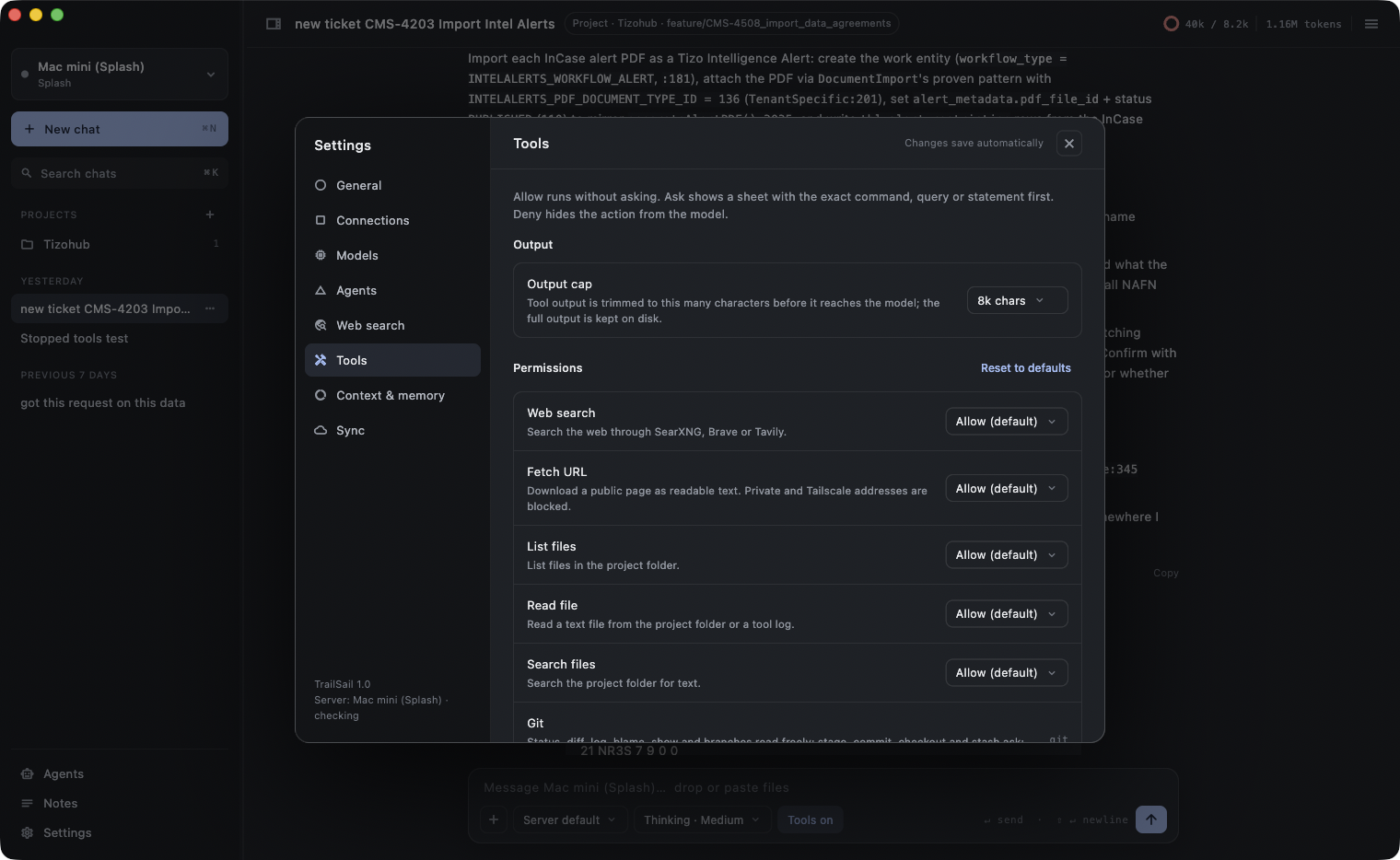
One app for every engine
The package runs the first three for you. Anything else that speaks the OpenAI API is a profile with a URL and a key.
- SplashNative MLX
- llama.cpp (router)GGUF · router mode
- SearXNGSelf-hosted search
- OllamaOpenAI-compatible
- StrataQwen3.8-Flash-Next · Metal
- Any OpenAI-compatible serverOpenAI API
managed by trailSailServer·Compare the engines
Who makes this
Hi, I'm Matt. I build TrailSail.
I'm a developer in the UK with a Mac mini in the next room and a MacBook on my desk. I wanted to run the big open models on the mini and use them properly from the laptop: with my code, my files, a terminal, and without a cloud bill or my work leaving the house. Nothing did that the way I wanted, so I built it.
TrailSail is free. It's published by Yard8 Limited, my company here in the UK, and for now I am the whole development team. I ask for two things so I can keep putting time into it: a coffee if you use it on your own and it earns its keep, and a Business licence if your company puts a team on it. Both go into the hours it takes to build it, fix it and add what people ask for.
Every coffee and every Business licence buys time to work on TrailSail. Thank you.
Private by design
Keys and tokens live only in the macOS Keychain and are generated on your server, never typed. There is no telemetry: the only request TrailSail can make by itself is a daily update check, and only if you say yes. The server is reachable on your Tailscale network only; the client blocks tool access to private addresses. Everything else, from the database to the notes and tool logs, is a file you can open.
One password on the server. One six-word code in the app.
Download TrailSail for your Mac and the server installer for the Mac that runs the models. It's free, with no account. Coffees from people who use it, and the Business licence (£199 a year for a company with a team on it), are what pay for the time to keep building it.
macOS 14 or later on Apple Silicon. For the models, a second Apple Silicon Mac on your Tailscale network (a Tailscale account is free for personal use) with the trailSailServer package (a 27B model needs at least 32 GB of memory and at least 40 GB of free disk), or any existing Splash, llama.cpp, Ollama or OpenAI-compatible server.