Features
Everything in the app, in one place.
TrailSail is the harness around your models: the loop, the tools, the permissions and the memory. Every capability it ships, in order, each with the screenshot that shows it working.
Chat that feels native
The core loop feels like an app that grew up on the Mac.
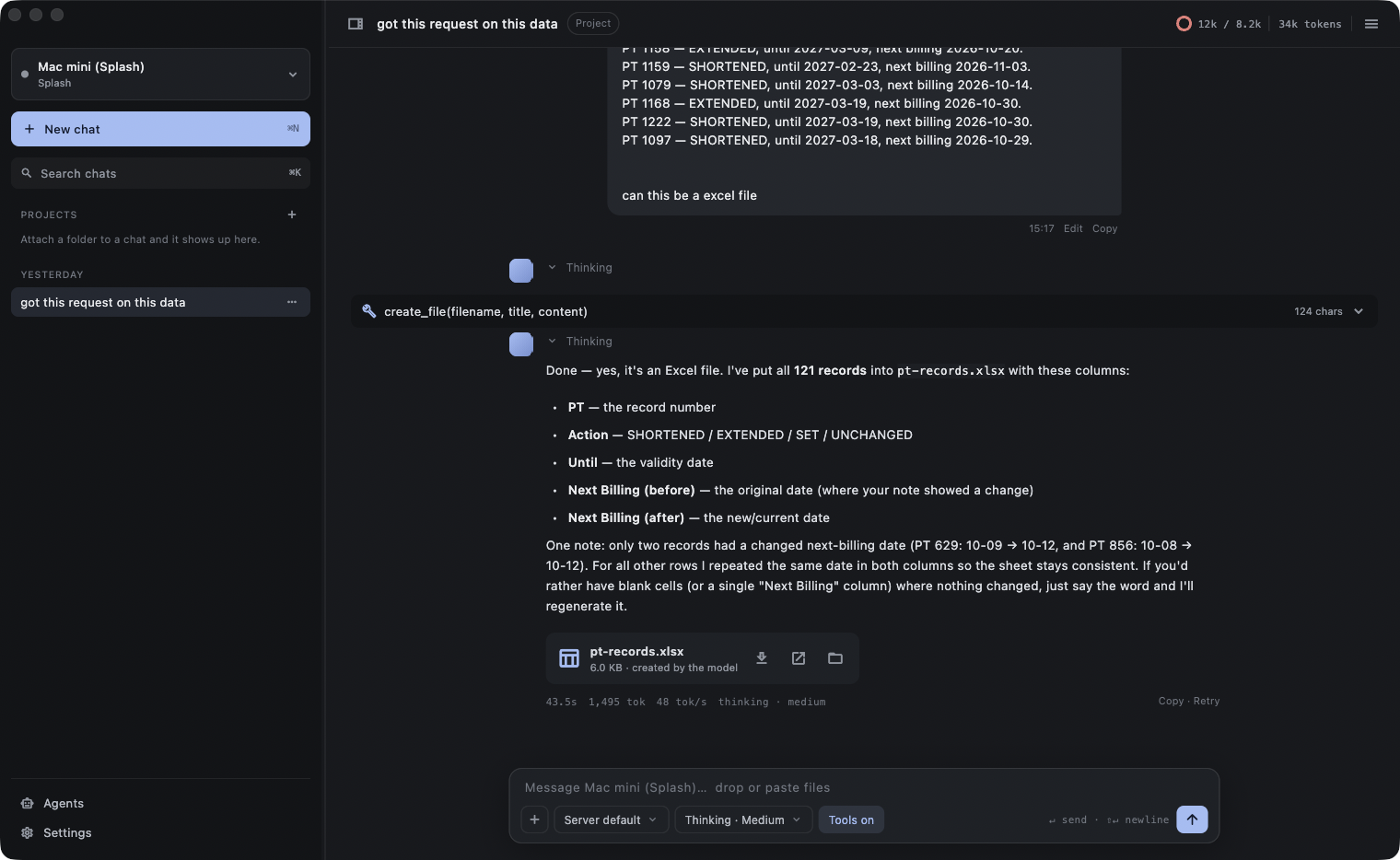
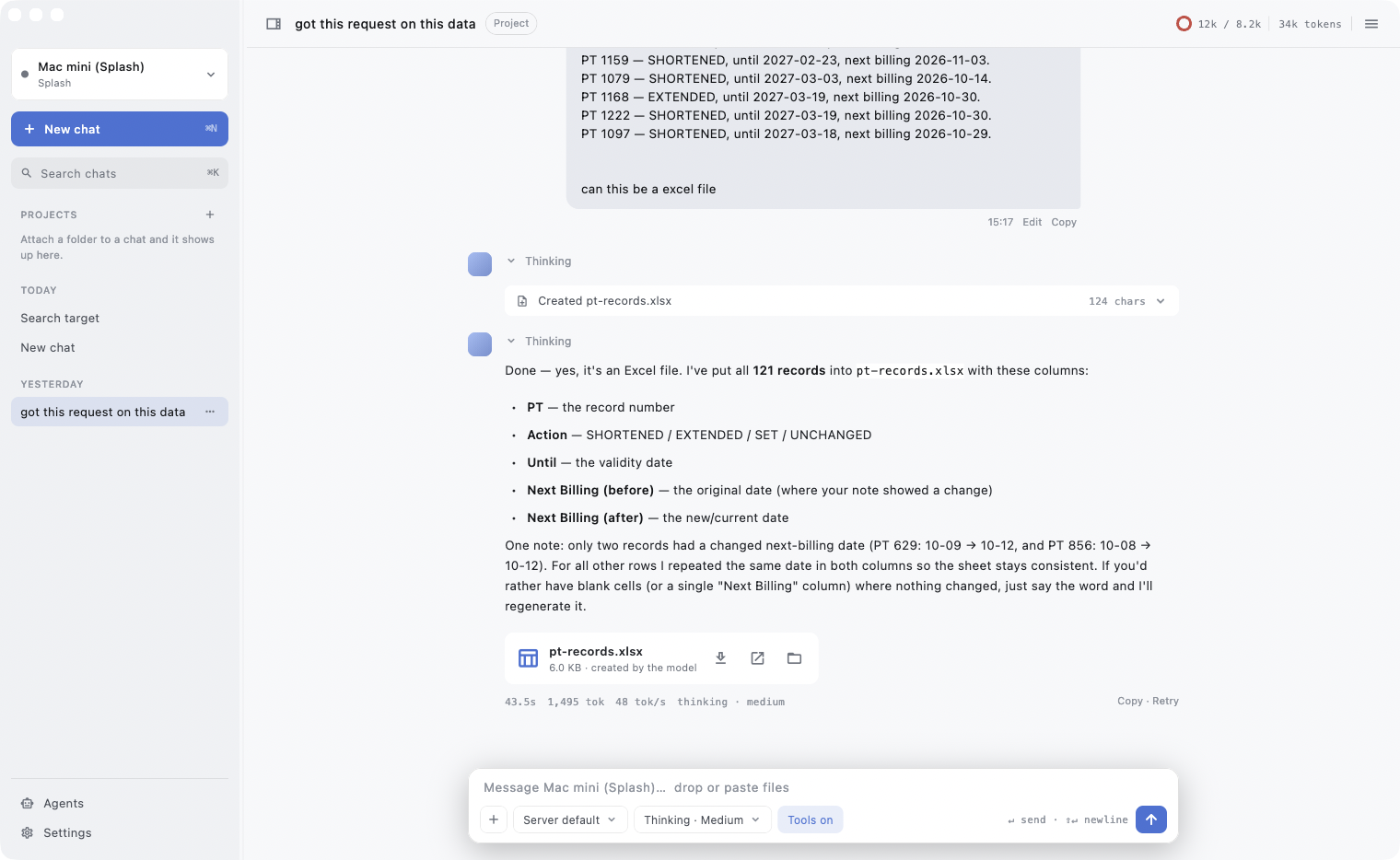
TrailSail is a native macOS client, and it shows: every reply streams in, and you can watch the machine work.
- Streams replies token by token with the measured speed in the footer: time, tokens, tokens per second, thinking level.
- Shows the model's reasoning under a collapsible “Thinking” row; a one-line status tells you what it is doing while you wait.
- Markdown with tables, headings and syntax-highlighted, selectable code blocks with one-click copy.
- Retry, edit and copy on every message. Toasts confirm copies and saves.
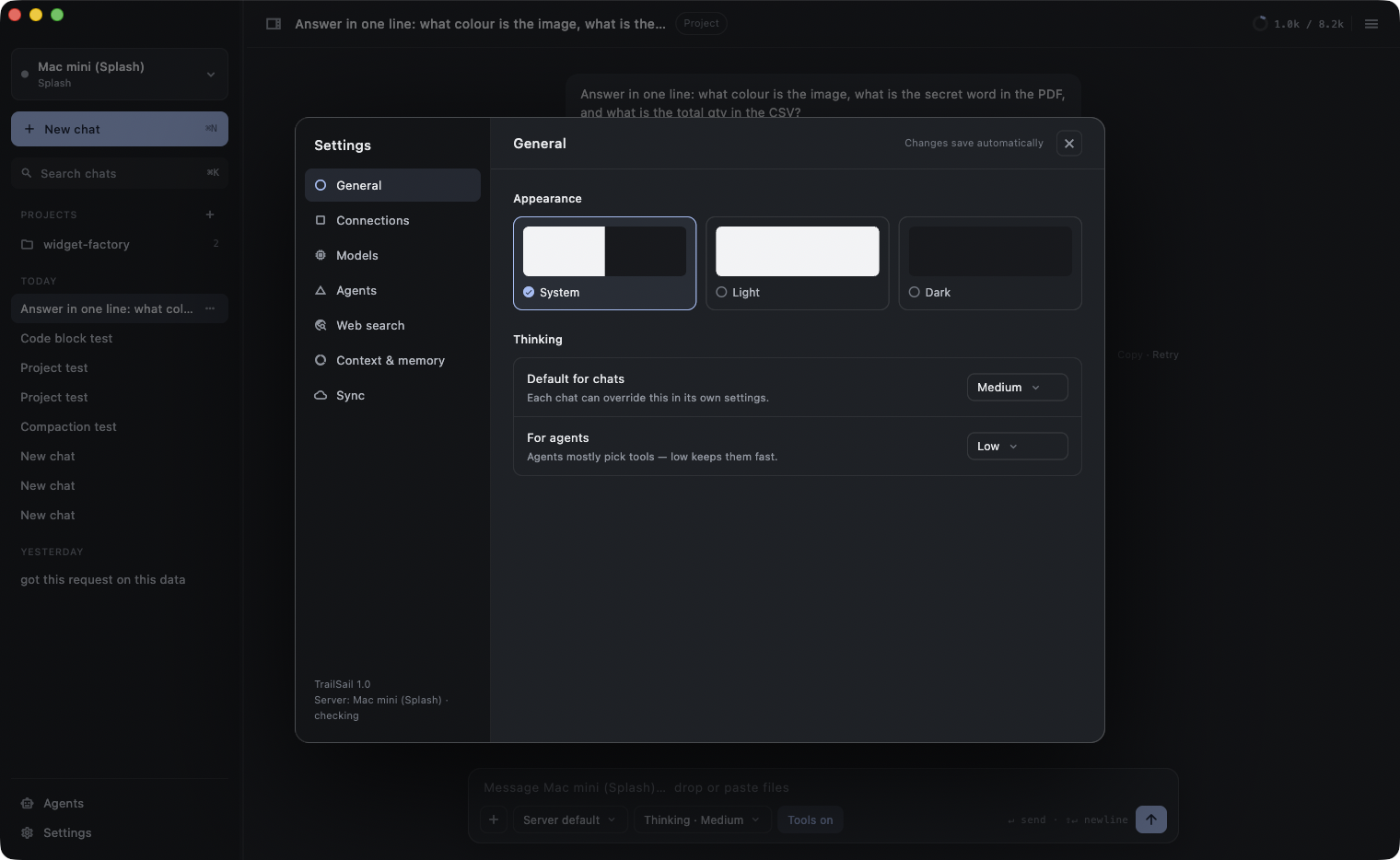
- Dark and light themes that follow macOS, a transparent title bar, a sidebar you can drag to resize or hide.
- Opens every chat at its last reply.
Attachments that just work
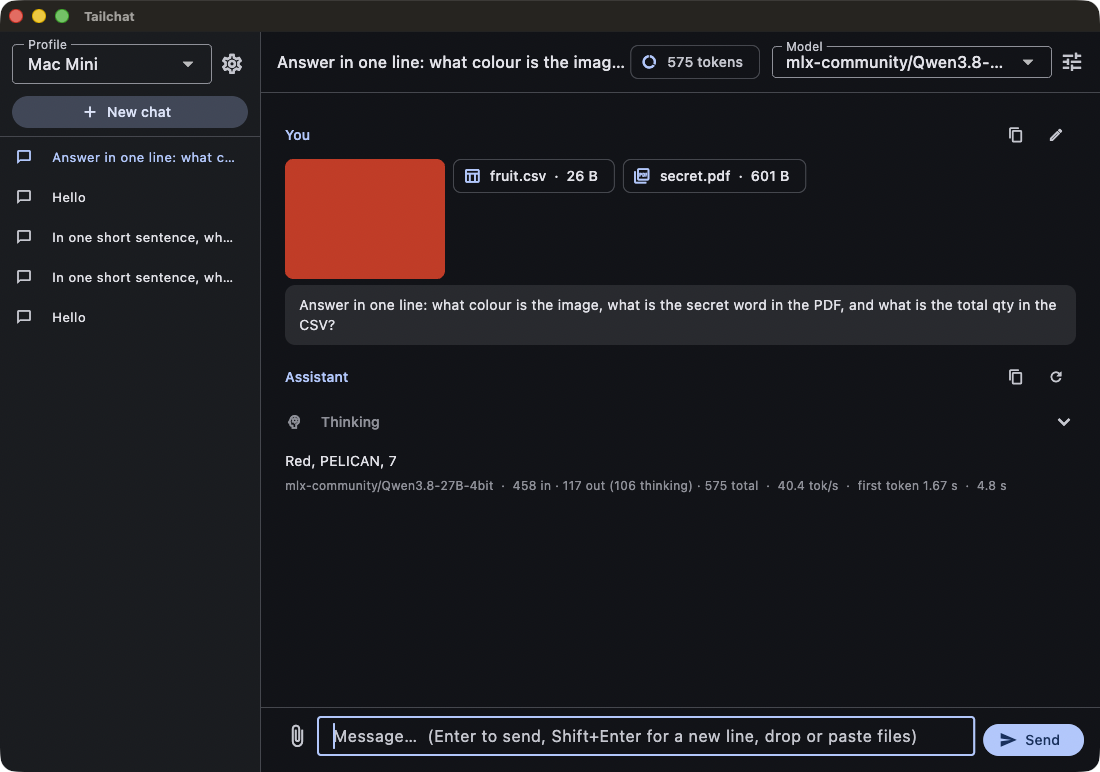
Whatever you throw in gets converted where it should be: natively for the model when it accepts it, or extracted to text on the Mac.
- Drop, paste or pick images, PDFs, Word, Excel, CSV, text, RTF, HTML and code files.
- Images and PDFs go to the model natively when it accepts them; everything else is extracted to text on the Mac.
- Pasted screenshots land straight in the composer.
- If the server's current model has no vision, the app resends without the images and tells you.
Files the model makes
When the model produces a document, TrailSail hands you the file instead of a wall of text.
- Ask for a spreadsheet, a Word document, a PDF, an HTML page, a CSV or a script and you get a downloadable file under the reply, not a wall of text.
- Pages and Numbers requests produce Word and Excel.
You
Turn this export into a summary by region, as a spreadsheet and a PDF.
Qwen3.8-27B
Done. Four regions, with totals and the quarter-on-quarter change. The North is up 12%; the other three are flat.
- q3-sales-summary.xlsxExcel · 18 KBSave
- q3-sales-summary.pdfPDF · 42 KBSave
14.2 s · 438 tokens · 30.8 tok/s
Projects
A project is a folder attached to a chat — the difference between a chatbot and a chat that knows your codebase.
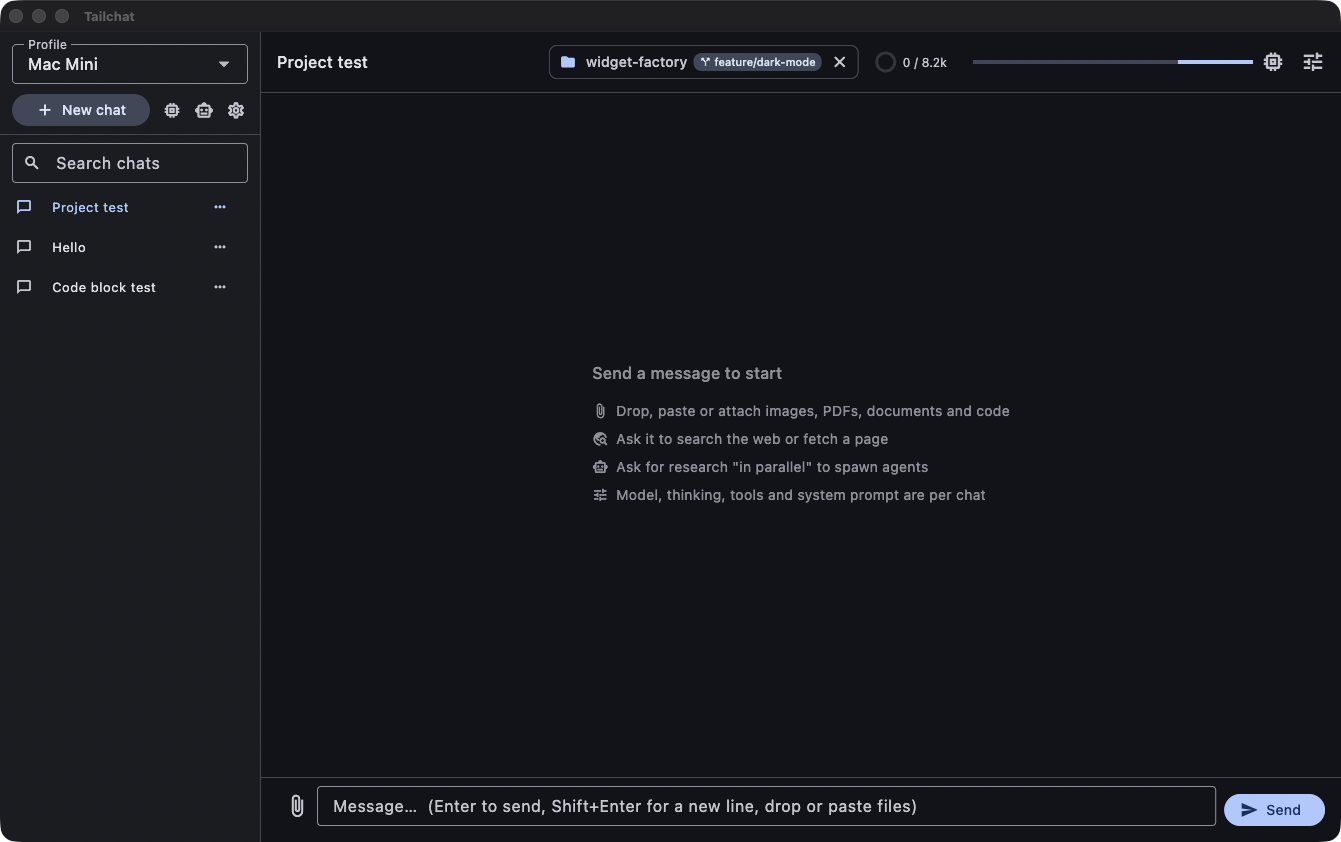
Attach a folder to a chat and TrailSail treats it as a project: the model works inside it, and the chat remembers where it lives.
- Attach a folder to a chat. The header shows the folder and its git branch; the model gets tools to list, search, read, write and edit files, scoped to that folder, with .gitignore and size limits respected.
- A guarded run_command refuses destructive shell commands outright and asks before risky ones.
- The sidebar lists projects as collapsible groups: click one and its chats appear beneath it; the project holding the open chat opens by itself. Chats without a project sit below under CHATS, grouped by day.
- Move a chat into a project or remove a project without touching the folder.
- The system prompt carries a project profile — framework, migrations, models folder, compose file, .env database, test runner — and the rule to read the migrations before writing SQL.
Developer tools, with you in control
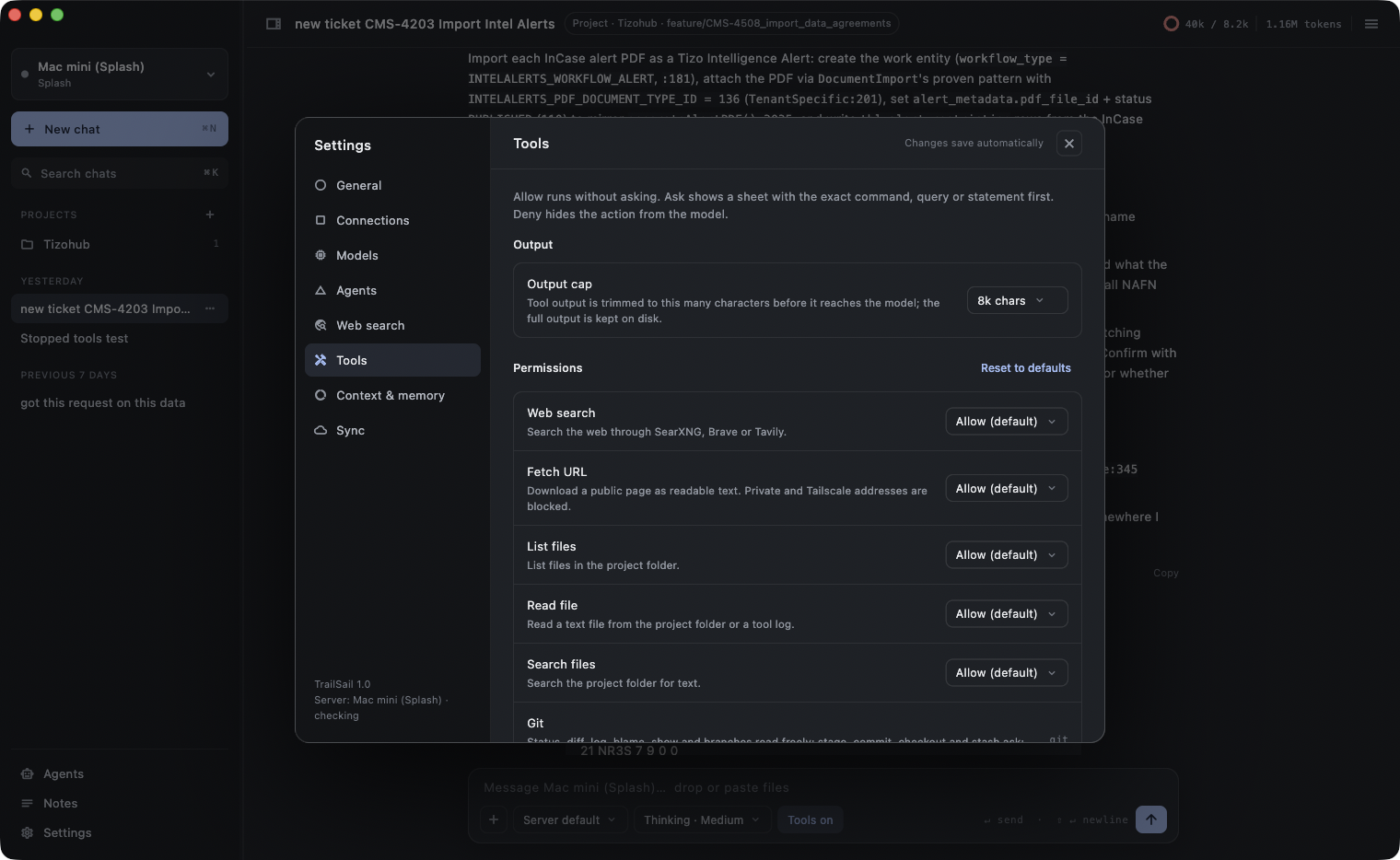
Seven tools run on the Mac the client is on — each with a permission tier you set.
Each tool has a permission tier you set: allow, ask or deny. “Ask” shows the exact command, query or statement before anything runs.
- Git, tests, databases, Docker, a headless browser, web search — and file write tools, each behind the same tiers.
- Every tool result is trimmed before it reaches the model, with the full output kept on disk. Calls have timeouts and a cancel button.
- A loop guard stops a model that repeats itself, and a step budget wraps up long tool runs with a status and a Continue button.
Git
Read freely · changes ask · push off
Status, diff, log, blame, show and branches without asking; stage, commit, checkout and stash with your confirmation; push off until you turn it on. No reset, clean or rebase exists in the tool.
Test runner
Runs freely · results trimmed
Pest, PHPUnit, flutter test, Jest, Vitest and pytest, returning a pass/fail summary with failures only.
Database
Read-only by default · writes ask
MySQL, Postgres and SQLite. Read-only queries by default, row limits, markdown tables; writes in a transaction after confirmation; destructive statements blocked. Laravel projects are detected from .env. Passwords live in the Keychain.
Docker
Inspection free · lifecycle asks
Scoped to the project's compose stack: ps, logs, inspect and compose status freely; exec, start, stop, restart and compose up/down with confirmation. Nothing can remove containers or images.
Browser snapshot
Local hosts free · other sites ask
Headless Chromium loads a page and reports status, console errors, failed requests, readable text and a screenshot. Local hosts run without asking; other sites ask. Up to ten click, fill and wait steps.
Write tools
Writes ask · deletes ask
Create, edit and delete files in the project, and run commands — each behind the same allow / ask / deny tiers.
Web search and fetch
Public web only · marked untrusted
SearXNG on your server, or Brave or Tavily; fetch any public page as readable text. Private and Tailscale addresses are blocked; fetched content is marked untrusted.
Agents in parallel
Big tasks fan out.
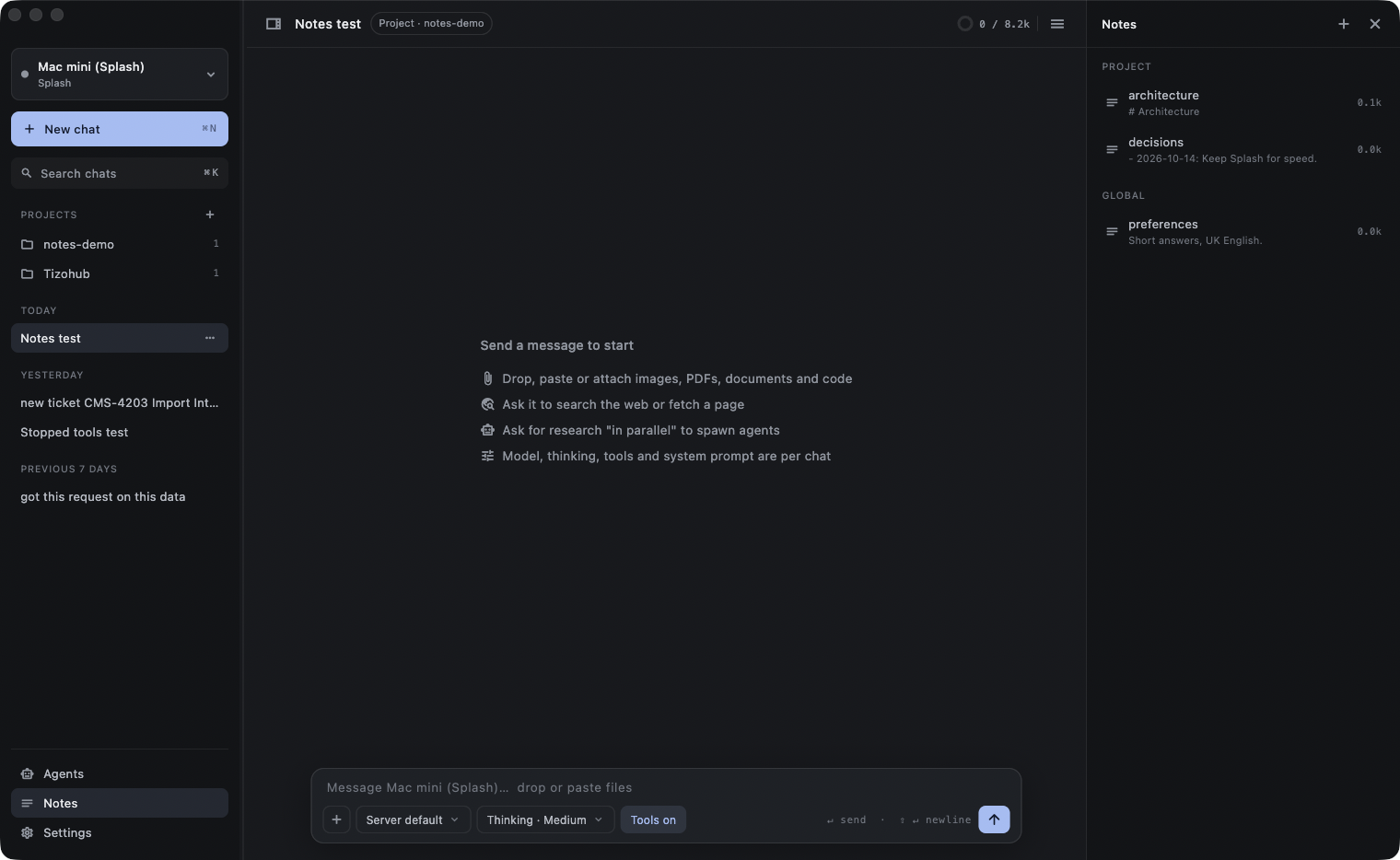
Say “research this in parallel” and the model spawns sub-agents, each with its own tools and step limits, running alongside your chat.
- Watch them in the Agents rail with progress bars, open any transcript beside your chat, cancel one or all.
- Concurrency and step caps are yours to set.
Memory that survives
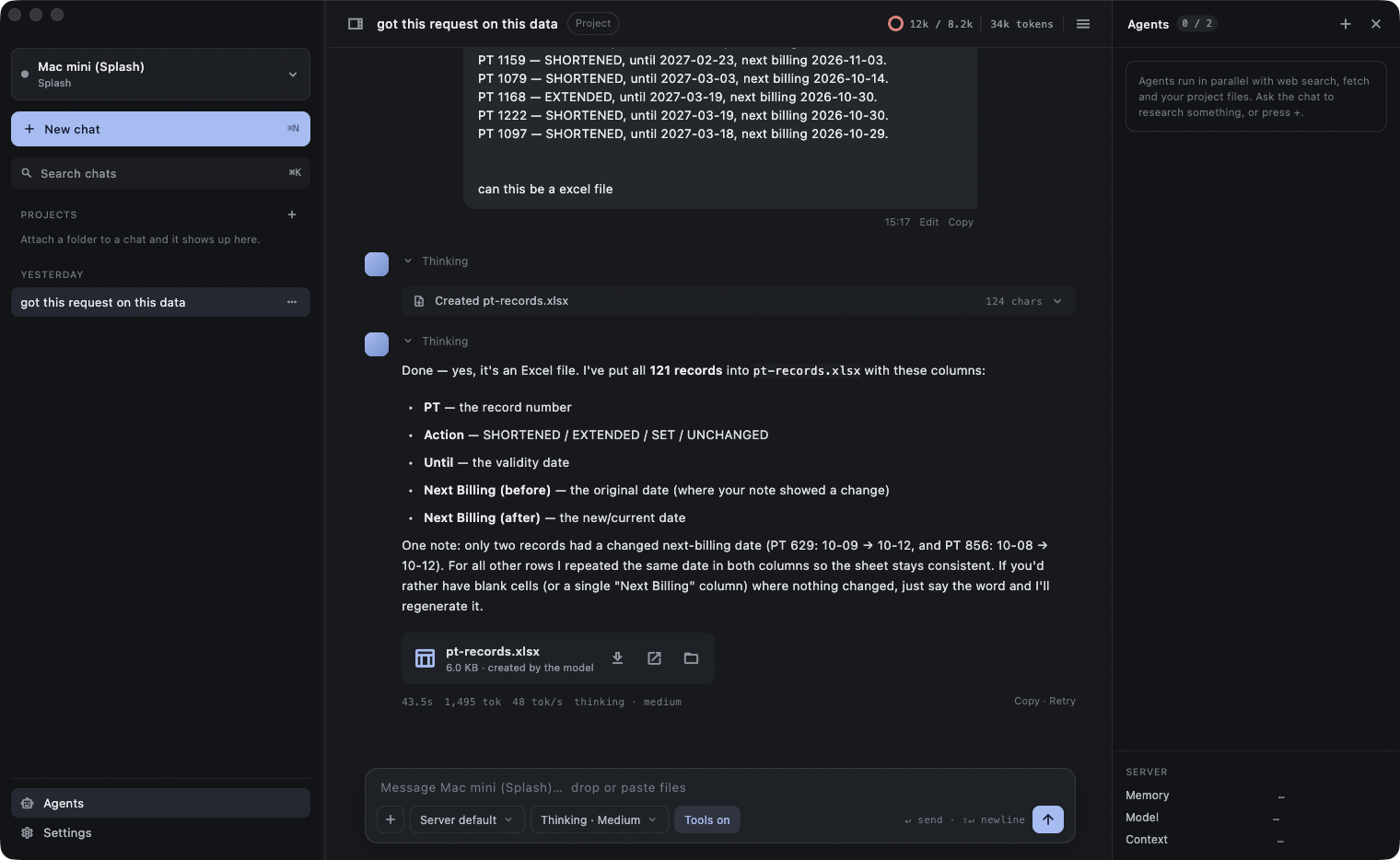
Memory is a file you can open. Notes live as plain markdown in your project folder and a global folder, and the model treats them like a notebook.
- The model reads the topic list at the start of every session, saves what it learns, and gets one pass to write notes before history is compacted.
- “Wrap up” writes a ticket summary and durable decisions in one click. A Notes panel edits them in place.
Context you can see
The window is a budget, and you can watch it spend.
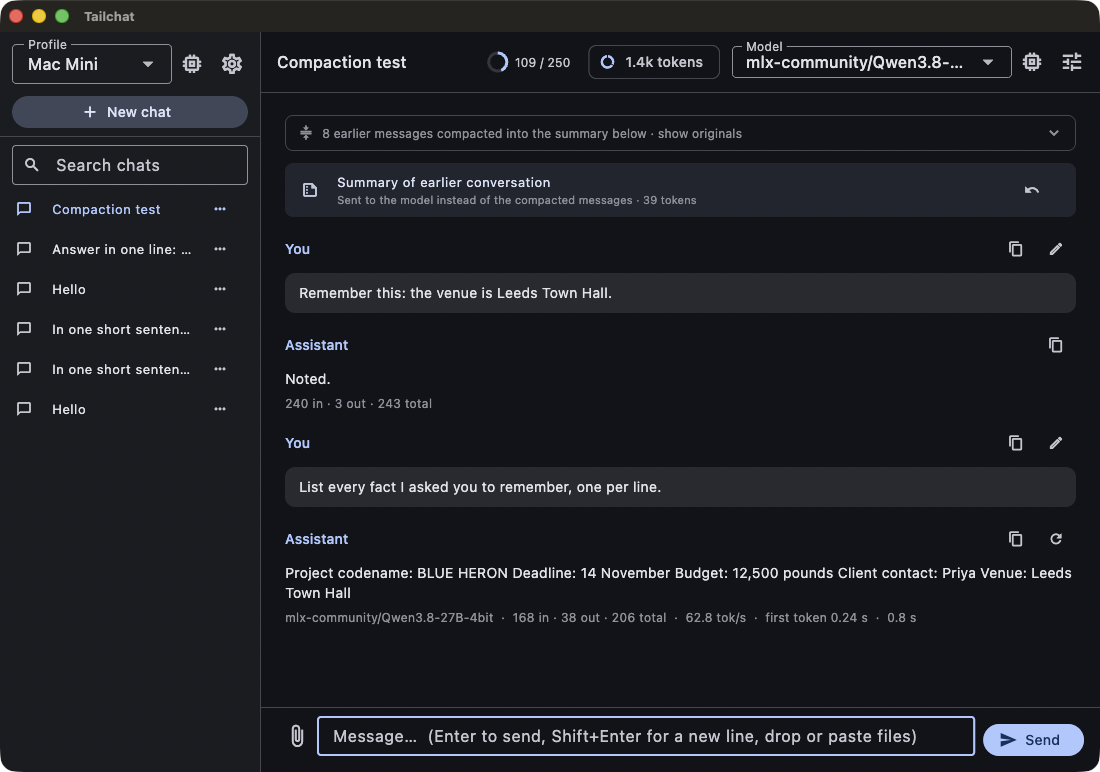
A ring in the header shows how much of the model's context window is used, and TrailSail keeps the budget honest for you.
- The ring counts messages, attachments, tool definitions and call arguments too.
- Stale tool results and old attachments are trimmed automatically.
- When the window fills, older turns fold into a summary you can expand or undo; compaction runs in chunks with timeouts so a big history never stalls the server.
- Thinking effort is per chat and per agent.
A terminal in the chat
A real terminal, docked where you need it, that is entirely yours.
- Toggle a real zsh in the chat's project folder along the bottom of the window.
- Resize it, maximise it, hide it and come back to the same shell. Each chat keeps its own.
- Click a URL to open it in your browser; right-click for Copy, Paste, Select all, Clear, and Open link or Copy link on a URL. The model never touches it.
You
Start the dev server and run the checkout tests.
➜ shop git:(main) npm run dev
ready in 412 ms
➜ Local: http://localhost:5173/
➜ shop git:(main) php artisan test --filter=Checkout
PASS Tests\Feature\CheckoutTest
✓ guest can check out 0.21s
✓ totals include VAT 0.08s
Tests: 2 passed (5 assertions)
➜ shop git:(main)
Your server, run from the app
trailSailServer turns the Mac that runs the models into a first-class part of the app.
One-click installer on the server, a six-word code in the app, and the machine is yours to run from anywhere.
- A one-click installer for the machine that runs the models: double-click, one password, done. It checks Tailscale and Homebrew, installs Splash and the llama.cpp router, adds SearXNG for web search when Docker is running, generates the API keys, keeps everything running across reboots and publishes it on your Tailscale network only. It finishes with a six-word pairing code.
- Pairing is the only hand-over. Enter the code once in Settings → Server and the app receives the engine addresses, the keys and its own control token, all stored in the macOS Keychain. Nothing is pasted. The code works once and expires in ten minutes; revoke a device from the panel at any time.
- The Server panel then shows the machine as it is: package version, memory, disk, uptime, Tailscale state, and a card for each engine. Start, stop and restart.
- Switch Splash to another model, with language-only and Neural Engine switches, and the next reply uses it. Install a model without serving it, see every model on disk with its size, delete one. Read the logs.
- Rotate the API keys with one click; every paired device picks the new keys up by itself. Pair another device by minting a code from the panel. A phone or tablet on 5G works the same way as long as it runs Tailscale.
matthews-mini · mini.tail1234.ts.net
mlx-community/Qwen3.8-27B-4bit · --language-only · https://mini.tail1234.ts.net
ggml-org/Qwen3.8-27B-GGUF:Q4_K_M · https://mini.tail1234.ts.net:8443
web search · https://mini.tail1234.ts.net:8444
Models and servers
One app for every engine.
TrailSail speaks to whatever is serving the model. Switch engines without switching apps, and keep an eye on the hardware.
- One app for every engine: Splash (native MLX), llama.cpp in router mode with load and unload from the app, Ollama, Strata, or any OpenAI-compatible server.
- Servers set up with trailSailServer appear as paired profiles; any other server is a profile with a URL and a key, with a check that the host is online on your tailnet.
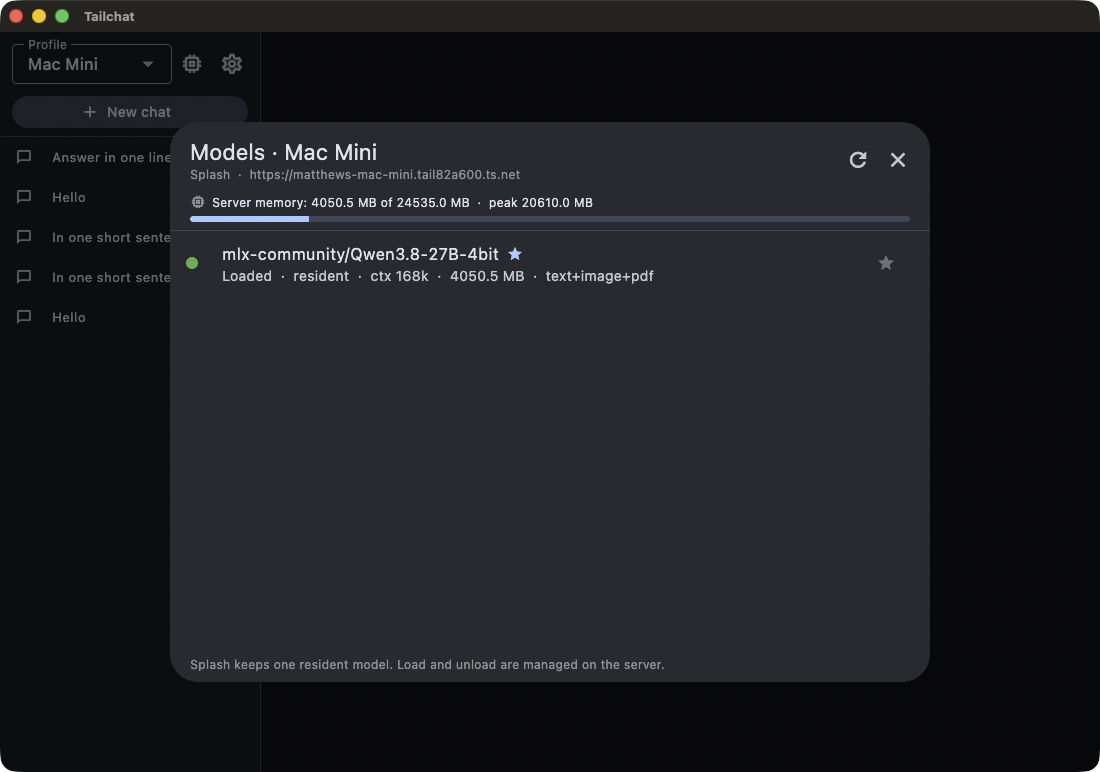
- The model manager shows what is loaded and the server's memory, refreshed on every reply. A stats panel shows your average speed and the server's cache, memory pressure and thermal state.
History, search and export
Every chat stays on your machine, and you can find it again.
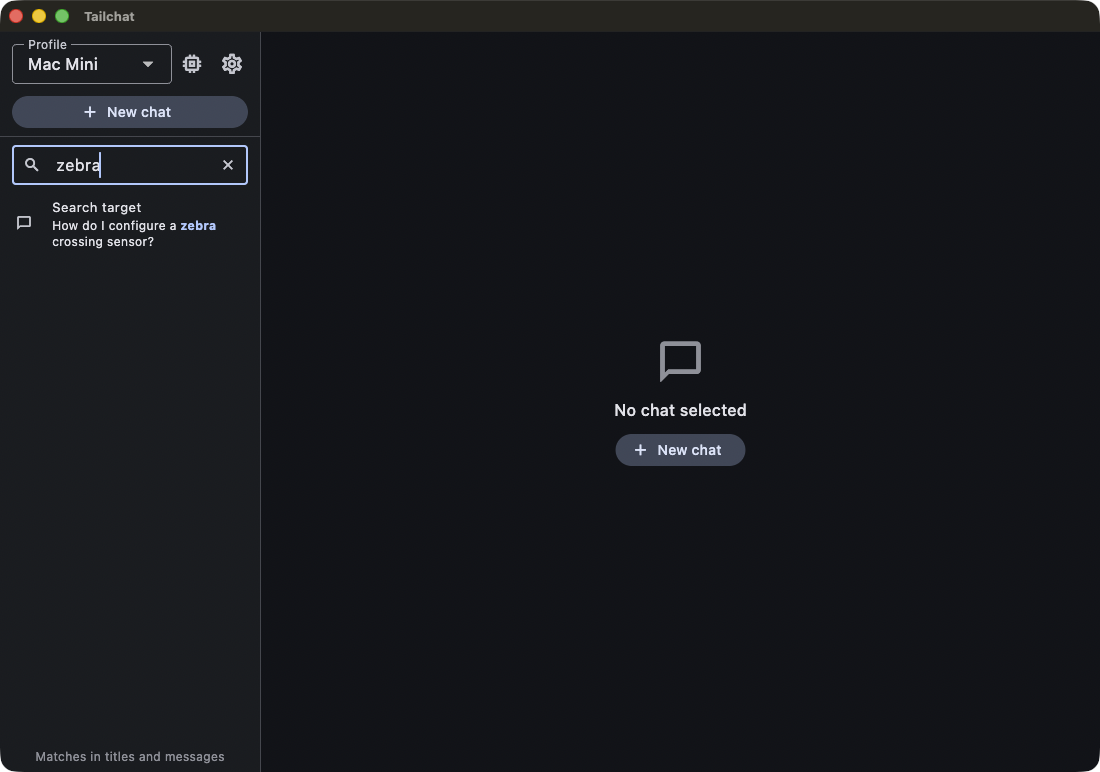
Chats are stored locally in SQLite — searchable, exportable, and yours to keep or delete.
- Every chat is kept locally in SQLite with full-text search across titles and messages.
- Pin, rename, export as Markdown or JSON, delete with confirmation.
Sync between Macs
Bring your setup with you, minus the things that must not travel.
- Pick a folder in iCloud Drive and chats, attachments and settings follow you between machines.
- API keys never sync; they stay in each Mac's Keychain.
MacBook Pro
Keys stay here
Mac Studio
Keys stay here
iCloud Drive / TrailSail
- Chats
- Attachments
- Settings
Private by design
The architecture is the privacy story.
There is no account, no cloud and no telemetry — the design makes it hard for anything to leak.
- API keys only in the macOS Keychain.
- No telemetry. The one request TrailSail can make by itself is a daily update check, and only if you say yes on first launch. The server is reached over Tailscale; the client blocks tool access to private addresses.
- Everything else — database, attachments, notes, tool logs — is a file you can open.
Keyboard
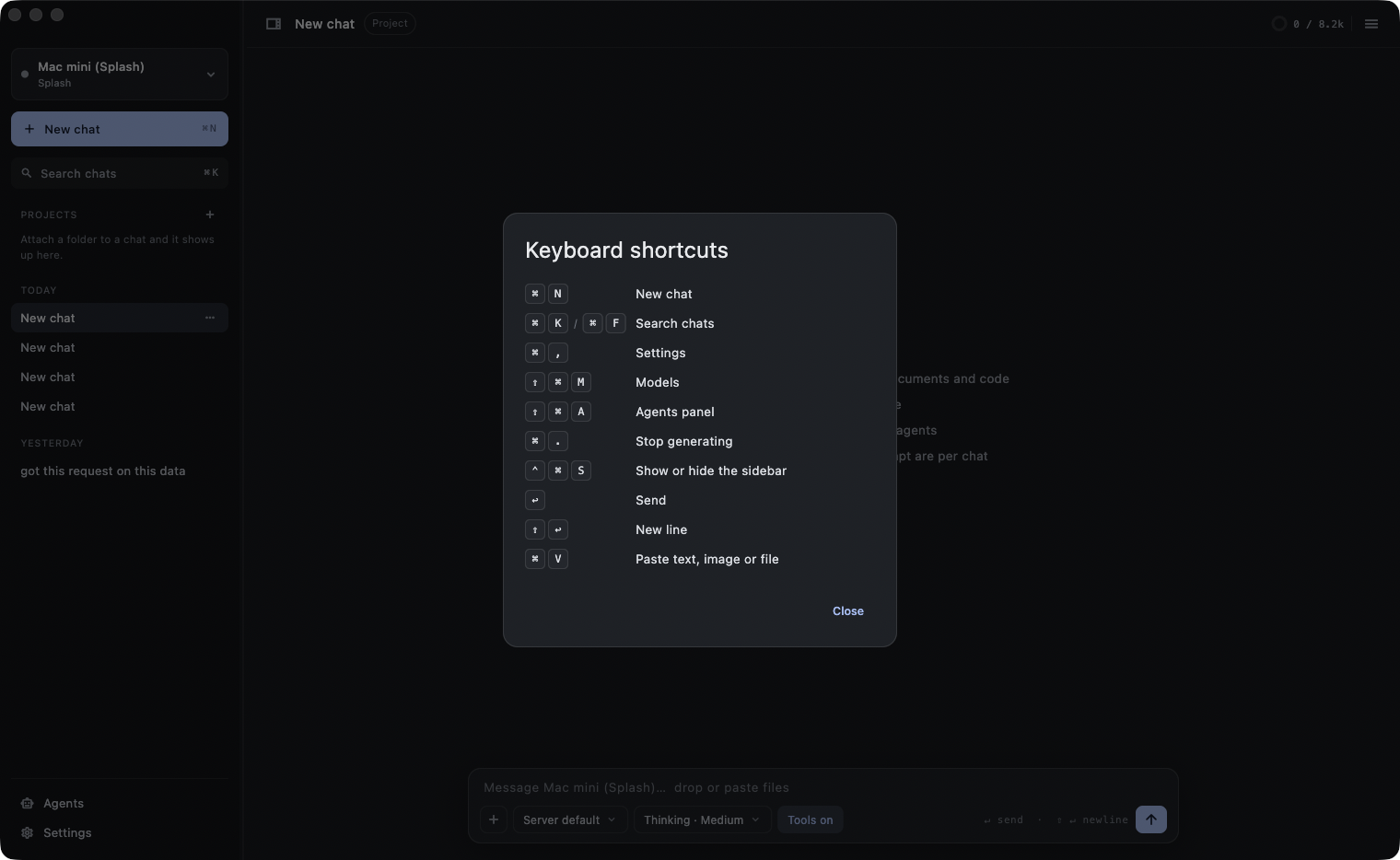
TrailSail lives on the keyboard. Press ⌘/ any time for the full list; the most-used bindings:
- New chat
- ⌘N
- Search chats
- ⌘K
- Settings
- ⌘,
- Model manager
- ⇧⌘M
- Agents rail
- ⇧⌘A
- Notes panel
- ⇧⌘N
- Terminal
- ⌃`
- Maximise terminal
- ⇧⌃`
- Stop the reply
- ⌘.
- Show or hide the sidebar
- ⌃⌘S
- All shortcuts
- ⌘/
One password on the server. One six-word code in the app.
macOS 14 or later on Apple Silicon. For the models, a second Apple Silicon Mac on your Tailscale network (a Tailscale account is free for personal use) with the trailSailServer package (a 27B model needs at least 32 GB of memory and at least 40 GB of free disk), or any existing Splash, llama.cpp, Ollama or OpenAI-compatible server.
Download TrailSailSetting up the machine that runs the models? Start with server setup.