Servers
One app for every engine.
The server only does inference. TrailSail talks to whatever is serving the model, so you can change engines without changing apps. The engines the package installs are managed from inside the app; anything else is a profile with a URL and a key. trailSailServer manages the engines, not the conversation: chats go straight from the app to the engine.
What the package runs for you
- Installs Splash and the llama.cpp router with Homebrew, and SearXNG in Docker when Docker is running.
- Generates the API keys on the server and keeps them there; the app receives them only through pairing.
- Installs launchd agents so the engines survive reboots, and publishes each one on your tailnet with tailscale serve.
- Runs a small control API the app uses to start, stop, switch and install models, read logs and rotate keys.
Details in server setup and the Server panel.
matthews-mini · mini.tail1234.ts.net
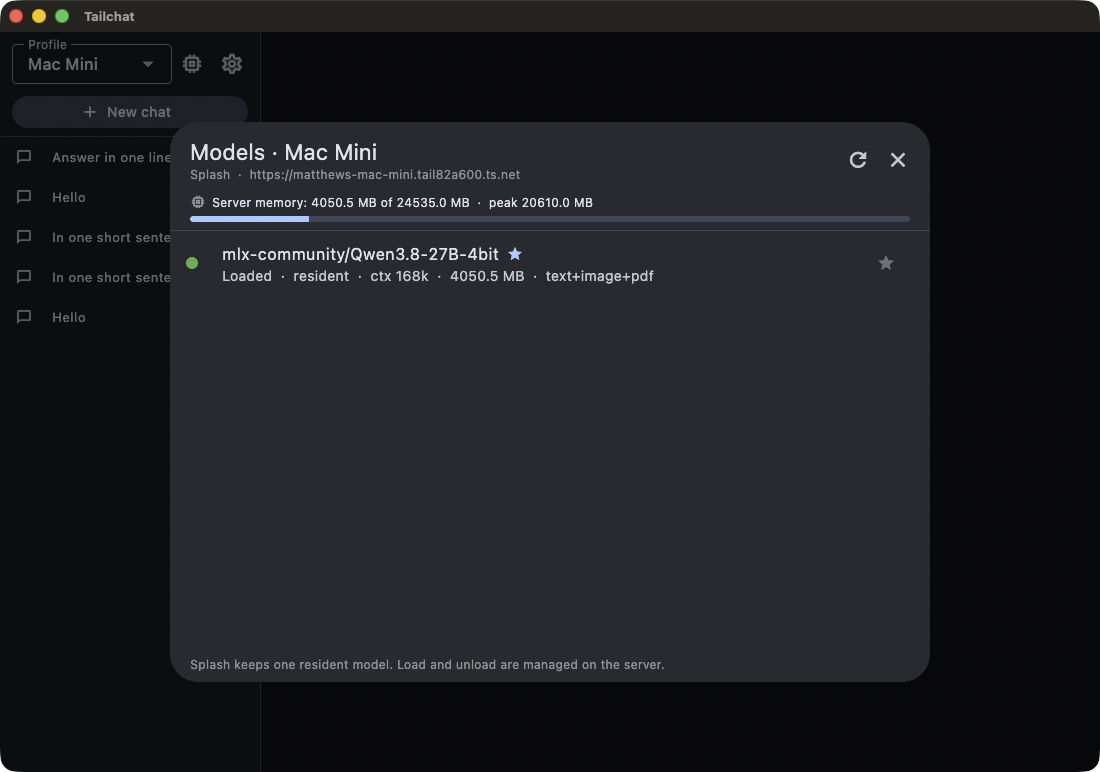
mlx-community/Qwen3.8-27B-4bit · --language-only · https://mini.tail1234.ts.net
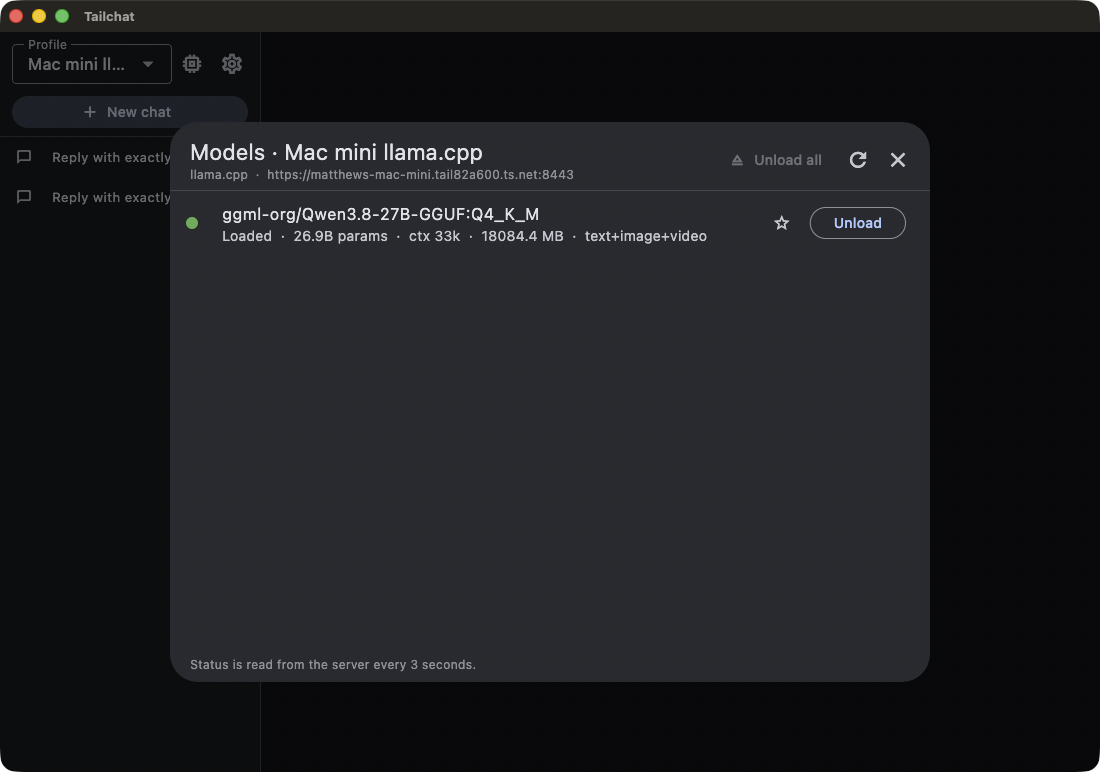
ggml-org/Qwen3.8-27B-GGUF:Q4_K_M · https://mini.tail1234.ts.net:8443
web search · https://mini.tail1234.ts.net:8444
The engines, compared
| Engine | Stack | Best for | Managed by trailSailServer | Notes |
|---|---|---|---|---|
| Splash | Native MLX | The default | ✓ | Native MLX, one resident model, the fastest option on Apple Silicon. The package installs it, serves it and switches its model from the app. |
| llama.cpp (router) | GGUF · router mode | Load and unload from the app | ✓ | GGUF quantisations, loaded on demand. TrailSail loads and unloads them from the model manager and reads the server's memory. |
| SearXNG | Self-hosted search | Private web search | ✓ | A private meta-search engine for the web search tool, run in Docker on the server. |
| Ollama | OpenAI-compatible | If you already run it | — | A manual profile: URL and key, with a check that the host is online on your tailnet. The model manager lists, loads and unloads its models. |
| Strata | Qwen3.8-Flash-Next · Metal | Experimental | — | Built from source and run by you, exclusive with Splash on a 32 GB machine. A manual profile; see the manual setup page. |
| Any OpenAI-compatible server | OpenAI API | Anything else | — | vLLM, LM Studio, a box you built — if it speaks /v1/chat/completions, TrailSail speaks it back. |
Pairing, in four steps
Six words is the whole ceremony. The code is single use and expires in ten minutes, and the keys it carries go straight to the Keychain: never pasted, never written to disk.
- 1
Run the installer
On the machine that runs the models: double-click the trailSailServer package and enter your password once. It finishes with a six-word pairing code.
- 2
Pair the app
In TrailSail: Settings → Server → Pair with a server. Enter the server's tailnet name and the code.
- 3
Chat
Start a chat. The model loads on the first reply — and the Server panel is now your console.
- 4
Manage from the app
Start, stop, restart and switch models, install new ones, read logs, rotate keys — from a Mac or a phone on the tailnet.
The model manager
Shows what is loaded and the server's memory, refreshed on every reply. With the llama.cpp router you load and unload models from here without touching a terminal. A stats panel shows your average speed and the server's cache, memory pressure and thermal state, so you can tell when the machine is about to get warm.